Demystify log source time parsing
In QRadar and more generally in log collection, timestamp is very important for fixing event in a timeframe, validating sequence of events...
In QRadar and more generally in log collection, timestamp is very important for fixing event in a timeframe, validating sequence of events…
That's why, you have to consider proper extraction of date in your logs. With QRadar, you have a huge flexibility to adapt multiple format, slicing or any other weird thing you may have. The validation will take place in the DSM Editor, having your log source type selected and sample of logs inserted in the code field like this:
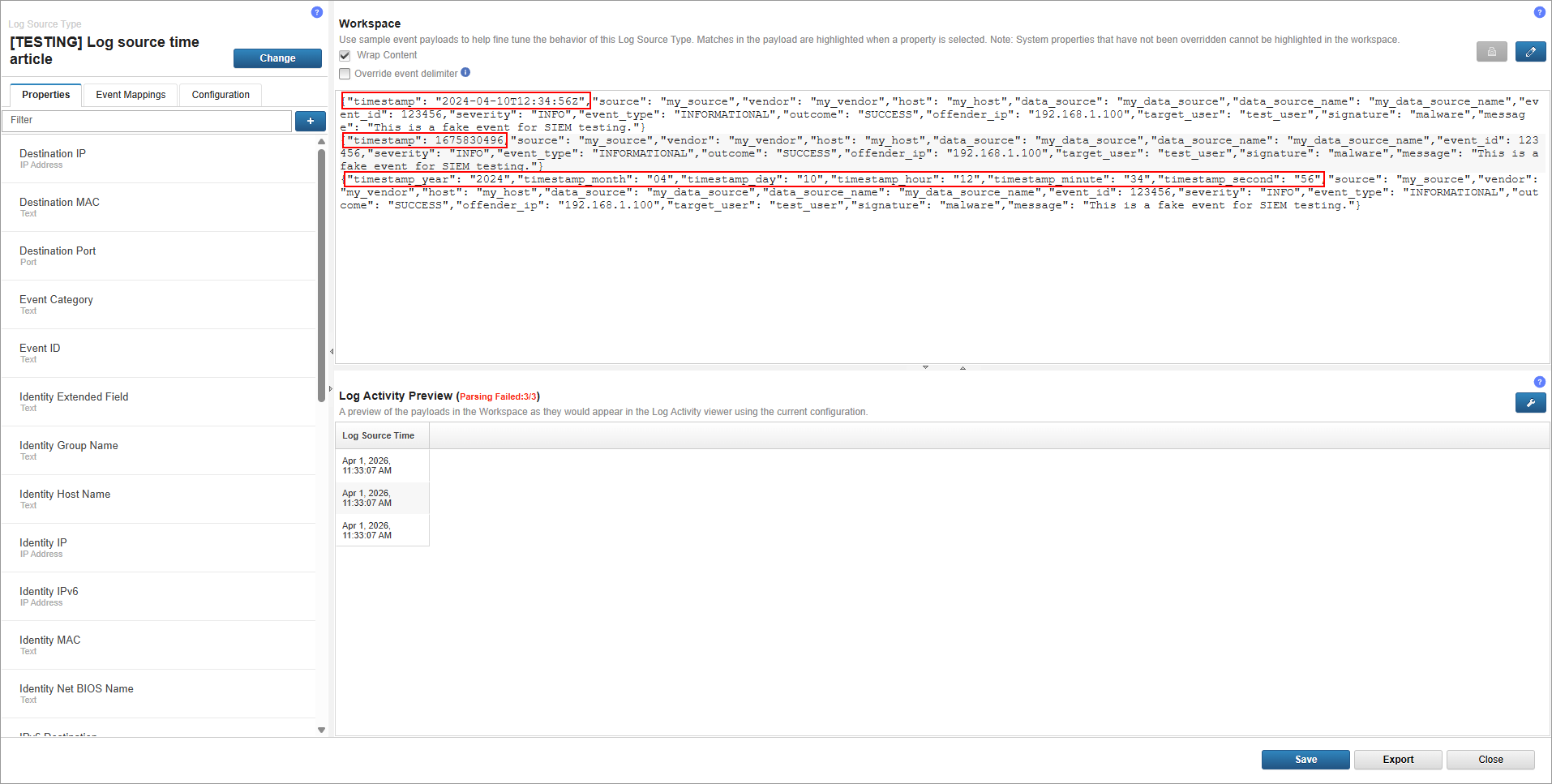
By default, QRadar will extract with more or less success log source time. But in our case, we crafted odd logs for test purpose and QRadar is lost as we can see in the preview the extraction is wrong.
Best practise is to edit Log Source Time property, which is the default one used for time framing in QRadar plus overwriting the system behaviour can be easily undone compared to new custom property.
First format
Before modification:
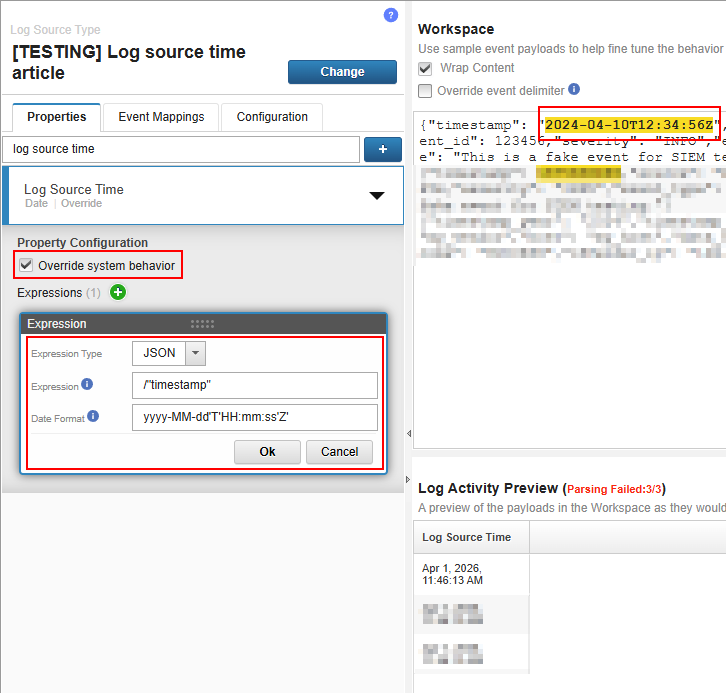
After modification:
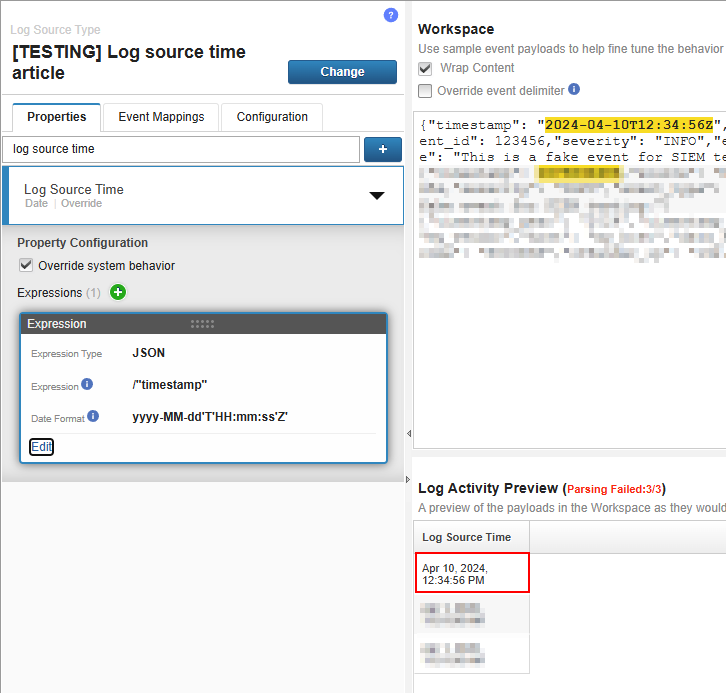
The choice of the Date Format is not random and based on the SimpleDateFormat Java class as the information popup remind us. All patterns can be found with a simple search but here is a reminder of the most useful letters.
- y → year (yy = 70 / yyyy = 1970)
- M → month (mm = 01 / mmm = Jan / mmmm = January)
- d → day (dd = 01)
- a → meridian marker (a = am)
- H → hour (from 0 to 23) (HH = 01)
- K → hour (from 0 to 11) (KK = 01)
- m → minute (mm = 00)
- s → second (ss = 00)
- 'something' → if you want to escape something or any raw text insert in your time format
Full documentation of the SimpleDateFormat Java class:

Second format
Before modification:
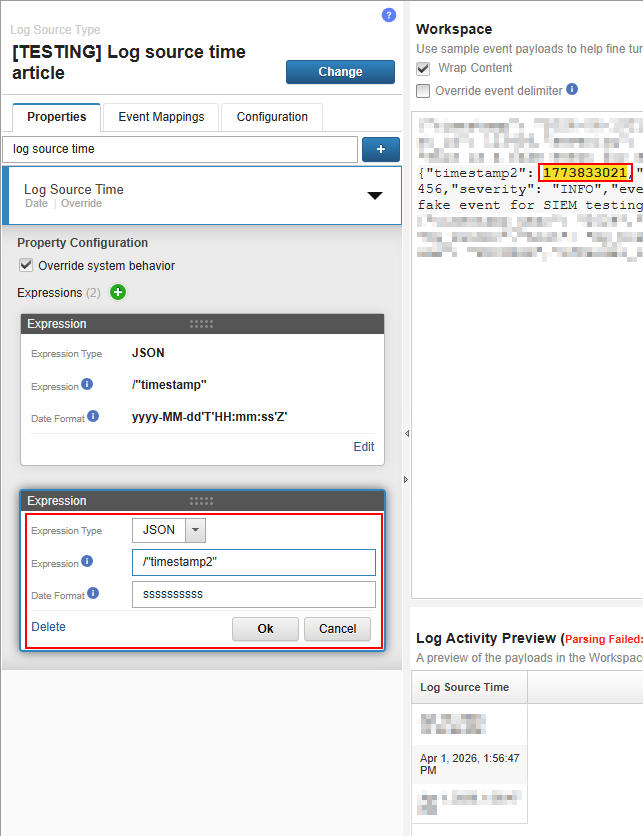
After modification:
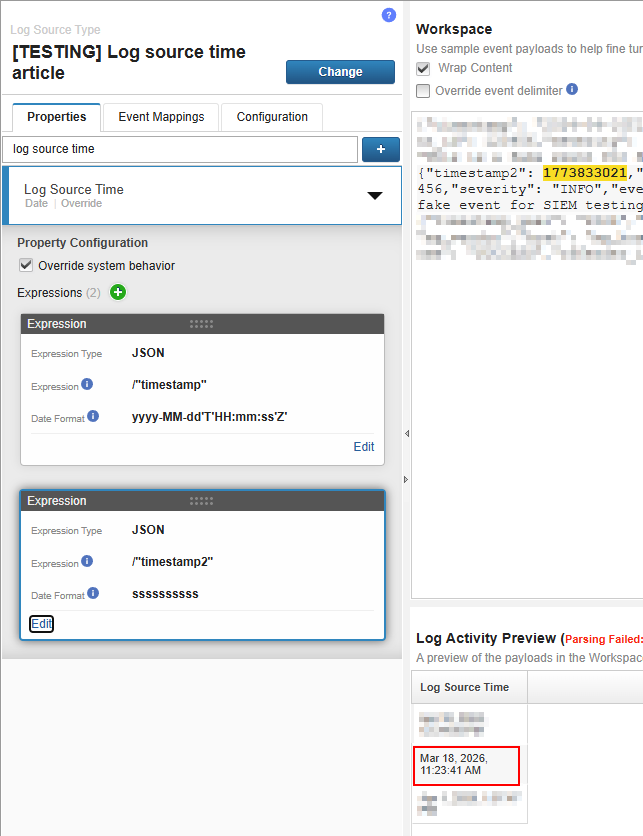
Since epoch timestamp is the count of seconds from the 1st of January 1970 to the time you want, the format is only “s” multiply by the number of digits.
Third format
Before modification:
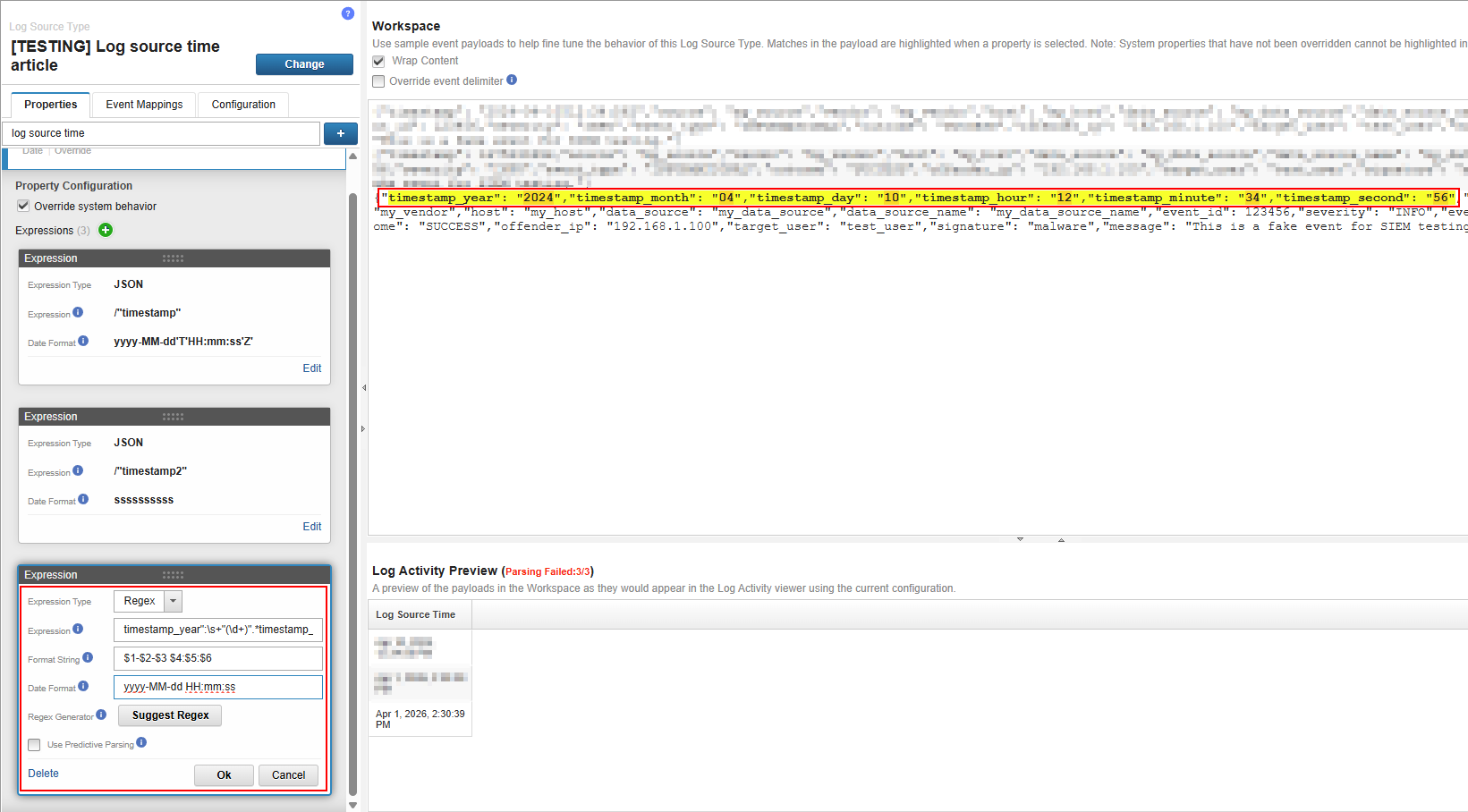
After modification:
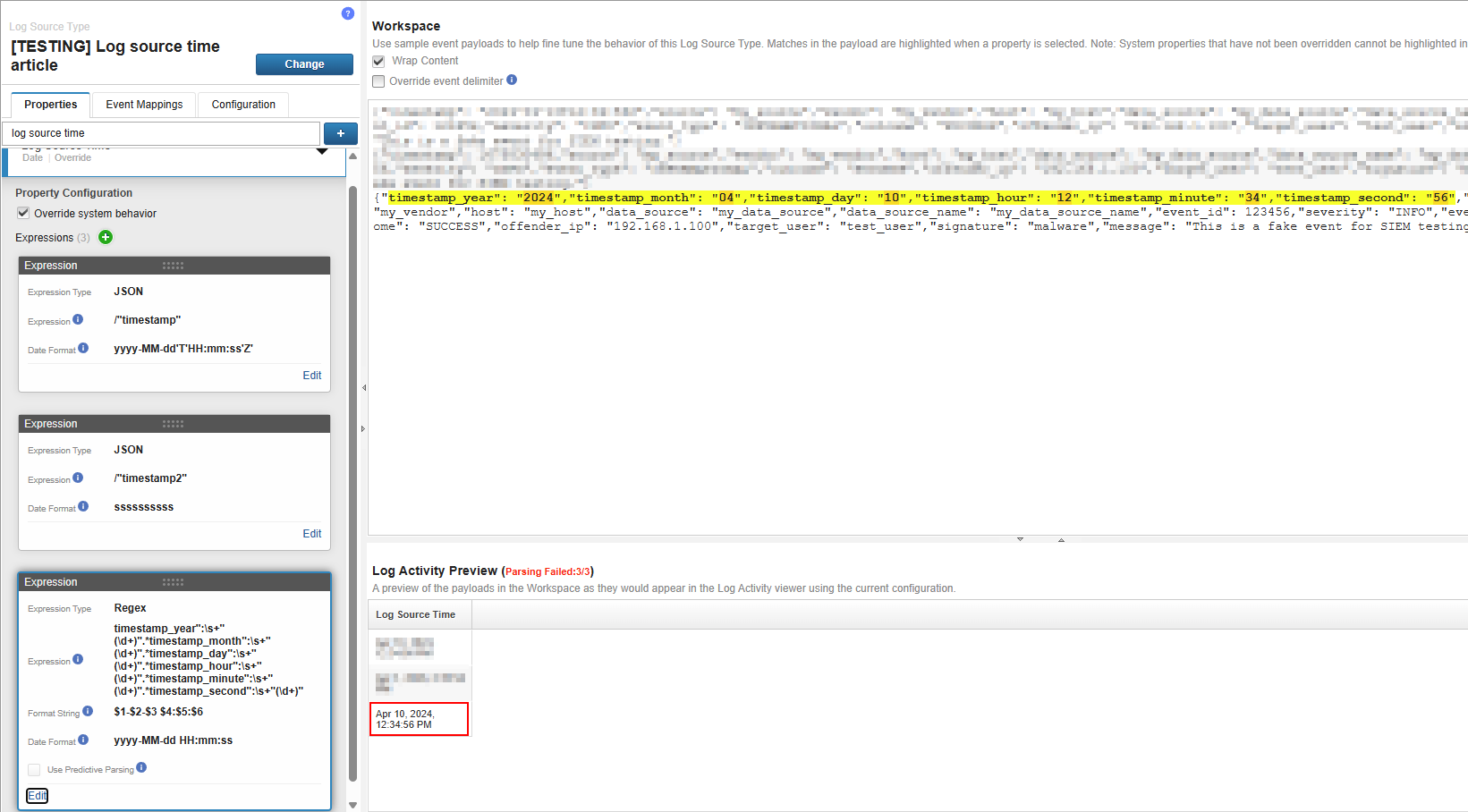
For this last example, we take the worst case with time and date split all over the log. You will rarely have this case, mostly the date will be separated of the time. With more or less complicated regular expression you will grab every part you want, then in the Format String field you rebuild your time and date. Then you extract the time and date as usual in the Date Format field.
More of Log Source Time official documentation:

You reach the end of this article, huge thanks for reading 🫶
👨👩👧👦 To become a more friendly guru of QRadar, join the community and subscribe to the newsletter.
🤗 To become a nicer guru of QRadar, leave a comment, your feedback will always be welcome (when constructive of course).